37. Giswater File Transfer Button
Tool that allows importing and exporting files from Giswater.
It has a CSV file importer which allows importing different types of files using preconfigured functions.
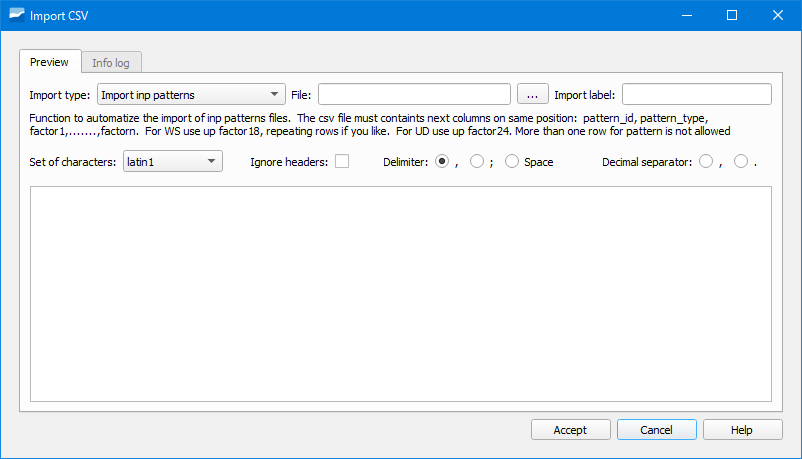
Fig. 37.1 Window of the CSV importer.
To import a file we will first have to select in the dropdown Import type the type of file to import.
Next, we will select the file by clicking on the search button in the File section.
Next, we will configure the importer specifying the character encoding (Set of characters), if we ignore the headers of the file (Ignore headers), which is the separator (Delimiter), as well as which is the decimal separator.