3. Mincut
Tool that allows calculating the size of the affected network and the valves to close in case we want to leave a specific point without water supply.
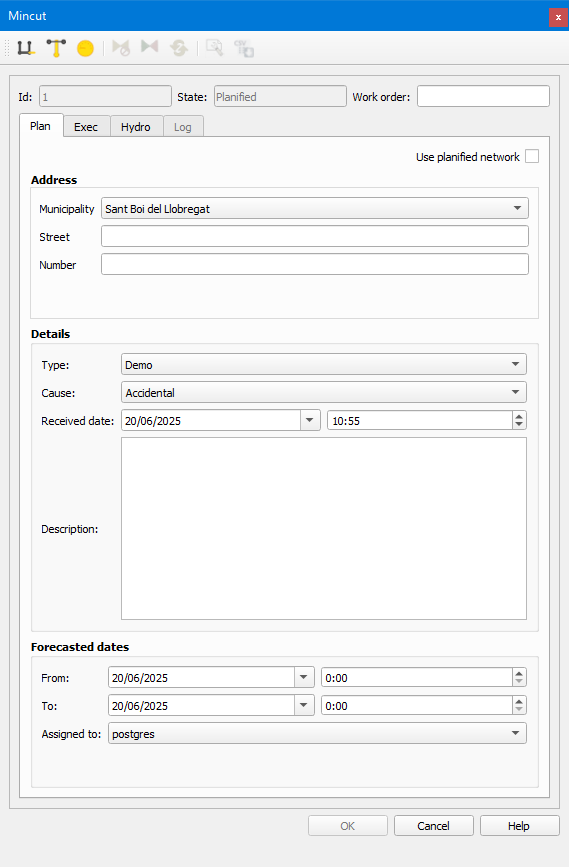
Fig. 3.13 Window of the Mincut tool.
To make the mincut work correctly, some requirements must be met:
The arc-node topology must be correct, that is, all arcs must have the node_1 and node_2 fields filled in.
The closed and broken fields of the valves cannot have a NULL value.
In the config_graph_mincut table we have to configure the nodes that provide water to the system (usually, the tanks). If any of the sections that reach this node is the high network, it has to be configured in the paramenters column as inletArc. All those that are not in this table will be considered as output sections.
In the cat_feature_node table we have to set what type of valves can be used to perform the closure. We have to put the value MINSECTOR in the graph_delimiter column.
We can calculate the mincut if, after clicking on the Automatic mincut button, we click on the affected point of the network.
The affected area as well as the valves on which we have to operate will be displayed on screen. A group of layers with the result will appear in the ToC.