18. Add Document
Tool that allows adding information contained in documents of type Word, Excel, photos…
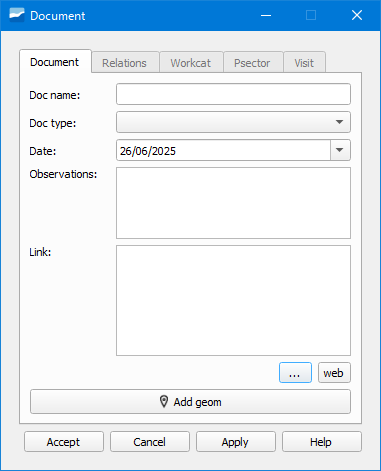
Figura 18.1 Window of the Add Document tool.
To add a document we can do it through the Add Document button in the Edit toolbar, through the object attribute form going to the Document tab and clicking on the New Document button or with the Document Manager.
In the form to add a document we will specify its type in the Document Type dropdown and the path in the Document tab. Next, in the Relations tab we will select the object to which we want to add the document.