13. Replace feature
Tool that allows replacing a node, arc, connec or gully by a new one without affecting the topology. The replaced object passes to have obsolete status.
After selecting in the dropdown of the tool button the type of object to replace, we will click on the object in question.
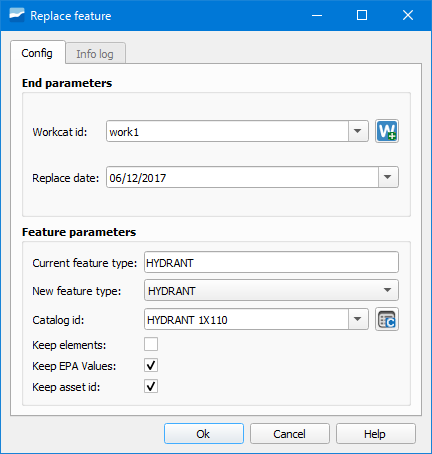
Figura 13.1 Window of the Replace feature tool.
Then the tool window will open where we will have to specify the withdrawal file (Workcat id), replacement date (Replace date), current type of object (Current feature type), new type of object (New feature type) and new object catalog (Catalog id).
Through the checkboxes we will be able to decide whether to keep or not certain aspects of the object.